 The Assurance Desk
What belongs at the front of the plan?
Put contacts and decision makers at the front of the plan. The National Cyber Security Centre, or NCSC, recommends key contacts, deputies and a clear route to the people allowed to make critical decisions.
Keep those details easy to find. Lisa Forte’s LinkedIn post gives a useful test for whether the plan is usable under pressure.
| Part of the plan | Details to add |
|---|---|
| Response lead and deputy | Names, contact details and who can decide if the main person is away. |
| Technical help | IT and incident response contacts, including external support. |
| Business decisions | Who can authorise critical decisions and when senior management becomes involved. |
| Other support | Legal, communications, people team and insurance contacts. |
If your plan can’t be grabbed, scanned, and acted on in seconds it’s not really a useable plan.
What if email or the office systems are unavailable?
If email or office systems are unavailable, the plan needs another way to communicate. Keep the key information in a safe place you can reach when equipment is stolen or damaged.
Write down the external help you can call, what its contract covers and when to involve it. Include the reporting duties and insurer requirements that the team needs to check.
What should the response steps cover?
Cover understanding the incident, limiting its spread, removing the threat and recovering. Choose plans for the incidents most likely to affect the business. Link them to arrangements for keeping work going, restoring systems and communicating.
Keep reviewing tasks and priorities as new findings arrive. Confirm that the threat has been removed before moving into recovery. The people who will restore backups also need to know how and be trained to do it.
From understanding the incident to recovery
- Understand Work out what has happened.Contain
- Limit the spread Decide how to contain the incident.Remove
- Remove the threat Check that the action has worked.Recover
- Recover Bring systems back through the recovery plan.
What should an incident log include?
An incident log should record discoveries, decisions and actions. The NCSC recommends keeping what was found, when it was found, who decided what and why, and the status of agreed actions.
| Field | Prompt to put in the plan |
|---|---|
| Discovery | What did we find? |
| Time | When did we find it? |
| Decision and owner | What did we decide and who made that decision? |
| Reason | Why did we choose that action? |
| Action and status | What was agreed, and is it still open or complete? |
How can the team practise using the plan?
The team can practise with the NCSC’s ransomware response exercise. It says to allow 15 to 30 minutes and recommends 3 to 5 people, including someone to lead the session. Participants do not need to be cyber security experts.
Bring the plan to the exercise. Use the discussion to check whether people can find the contacts, decision makers and communication arrangements they need.
The NCSC’s ransomware exercise gives the team a short way to practise.
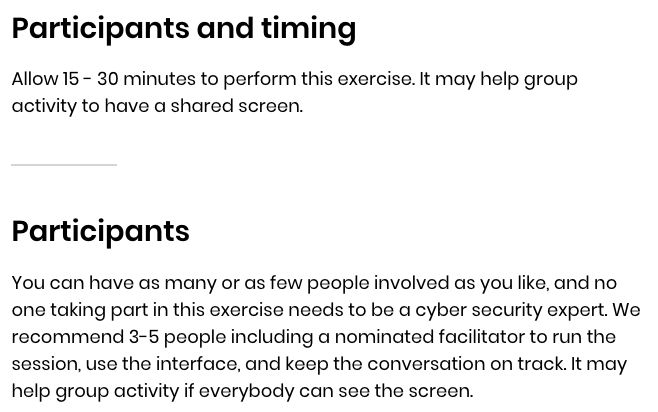
Allow 15 to 30 minutes. The NCSC recommends 3 to 5 people, including a person to lead the session, but permits other group sizes. No cyber security expertise is needed. A shared screen may help the discussion.
National Cyber Security Centre. Contains public sector information licensed under the Open Government Licence v3.0. Captured 8 October 2026. View full size · Image licence
How do you keep the plan useful?
Keep the plan useful by rechecking the details people will rely on. The NCSC recommends checking important contact details every couple of months or when needed. Keep the support arrangements and route to senior management clear.
Read the plan as the person who has to use it. Can they find the right contact, see who can decide and start the incident record without searching through a long document? The NCSC recommends simple checklists and tracking forms for use in an emergency.
What to do
- List key contacts, deputies and decision makers.
- Record external support terms and the point at which to call for help.
- Keep a safe, accessible copy of the essential information and an alternative way to communicate.
- Prepare a simple incident log and link the recovery arrangements.
- Try the NCSC exercise with the people who would use the plan.
- Set a reminder to recheck important contact details.
Common questions
Is an incident response plan just for the IT team?
No. The NCSC contact list includes management, legal, communications, the people team and insurance as well as IT and incident responders. Critical decisions need clear authority.
Is this the same as a business continuity plan?
They should link together. The NCSC says the incident plan should connect to business continuity, disaster recovery and communications plans. Keep the response and the arrangements for carrying on working connected.
Do we need experts to run a practice exercise?
The NCSC ransomware exercise says participants need no cyber security expertise. It recommends a person to lead the discussion and keep it on track.
Can we use a template as the plan?
Use the prompts as a starting point, then add your actual people, authority, support arrangements and communication routes. Focus the response plans on the incidents your business is most likely to face.
Where next
Sources
- Lisa Forte on LinkedIn, Your Incident Response Plan may end up letting you down. Many organisations still worship the beautiful incident response plan. Glossy. Reviewed to death. Auditor‑approved. ……..And often totally…, checked 8 October 2026
- NCSC, Incident management, Plan: Your cyber incident response processes, checked 8 October 2026
- NCSC, Small Business Guide: Response & Recovery, Step 1: Prepare for incidents, checked 8 October 2026
- NCSC, Disruptive cyber attacks, reducing their impact, reducing the risk, Recovering from a highly disruptive cyber attack, 1. Immediate activities, checked 8 October 2026
- NCSC, Exercise: Responding to a ransomware attack, checked 8 October 2026
- NCSC, Terms & conditions, checked 8 October 2026
- nationalarchives.gov.uk, Open Government Licence, checked 8 October 2026
This is an independent editorial guide, not legal advice.